
If you see a 'No Access' message when looking at a Meeting Pack (Calendar Event) this means that the target file is either not accessible (due to access controls) or has been deleted (in the waste-bin). Here is an example where the agenda is in the waste-bin....
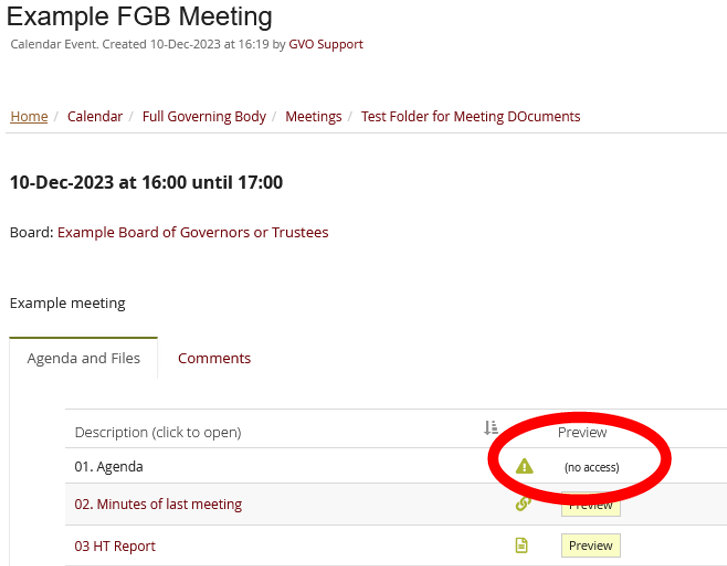
There will be two possible reasons for this:
- The item has access controls applied and you do not have access - the meeting pack respects this so the 'no access' message is correct for this user (other users may have access)..
- The item has been deleted (in the waste-bin) so the link is no longer valid....this needs correcting.
If an agenda item has been updated by the meeting owner by deleting the old version of a paper and adding a new version to GVO then the link in the meeting pack is broken and gives this message.
When a paper added to the GVO needs to be corrected (eg a typo is spotted or additional information added) then the paper should be 'updated' (Actions/Edit/Replace) rather than 'deleted' (Actions/Delete). If a new version is added to replace the old one just deleted then GVO does not know that the new file added was intended to replace the old one and thinks it is a completely new paper.
By using Actions/Edit/Replace the new version of the file replaces the old version and all links from meeting packs remain valid.
If you need any help please contact the GVO Support desk on 01273 921066.