
To create a new 'Room Manager' and remove the previous Room Manager please follow these steps.
Basically the current Room Manager needs to 'add' the new person whi will be the Room Manager to the room and make them a Room Manager. When that is done the 'new' Room Manager removes the 'old' one by editing their room profile and changing it to None (no room access).
- The existing Room Manager must add the new person to the room and set their Room Profile to Manager - HELP HERE
- Go to Room Users
- Select the person who will be the new manager
- Edit the room profile and set to 'Manager'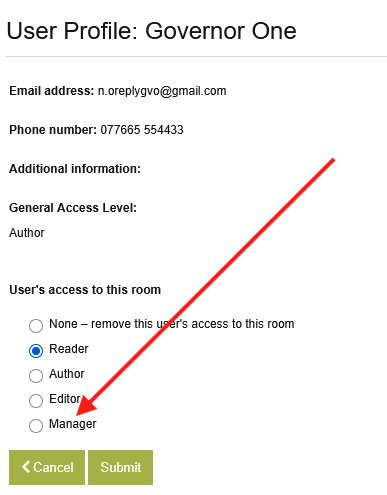
- The new Room Manager must then sign into GVO, access the room and edit the Room Profile of the person who needs to be removed.
- Go to 'Room Users'
- Select the person who needs to be removed
- Edit the Room Profile and set to 'None' (this removes them from the room - they cannot see/access the room).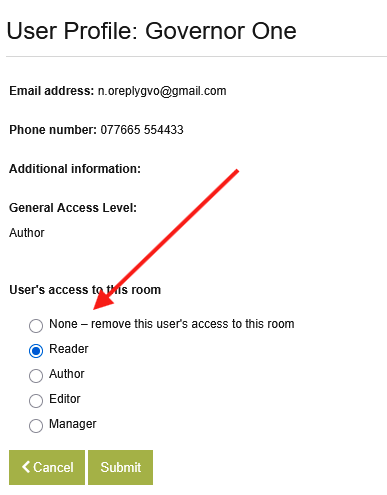
Note: A Room Manager CANNOT edit their own Room Profile (if they did it could lock them out of the room in error and leave the room without a manager).
There may be occasions when a person resigns where this process is not possible - in this case contact GVO Support who can assist.